Tutorial: Add a Deactivated Team Member
Use this tutorial to add a team member that has been Deactivated to a child's IFSP team on the IFSP Team Members page.
Complete the following steps to perform this tutorial:
-
Display the IFSP Team Members page.
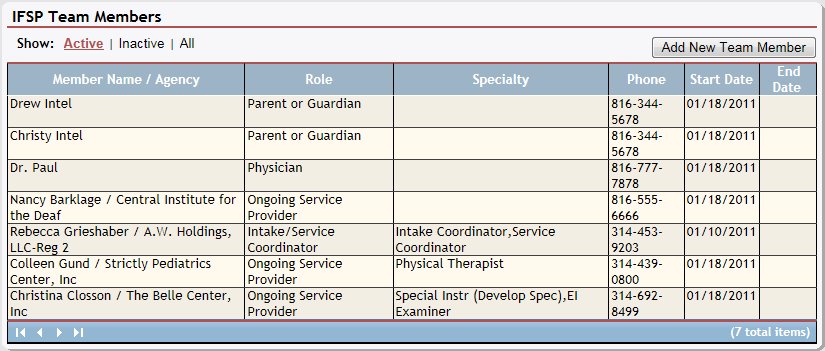
IFSP Team Members page (default view)
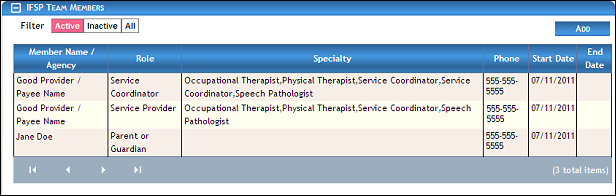
IFSP Team Members page (default view) for Coordinator/District roles
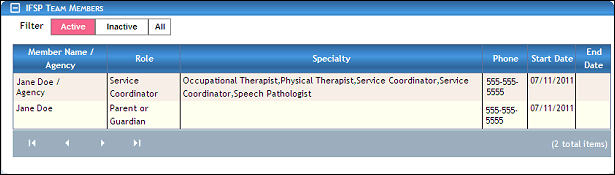
IFSP Team Members page (default view) for Provider/State roles
|
NOTE: Depending on the method of access and your current permissions, the page displays differently and some information may be disabled or unavailable. |

-
Click Add. The page refreshes and displays all family members, providers, physicians, and coordinators currently associated with the child in a table.
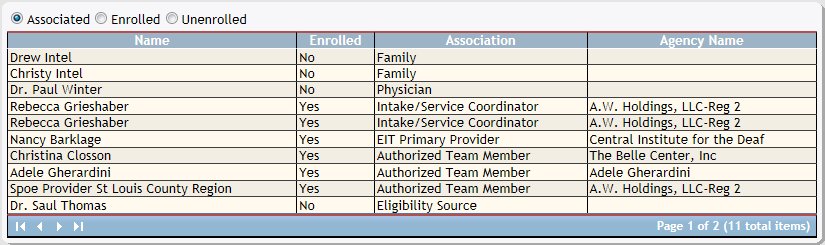
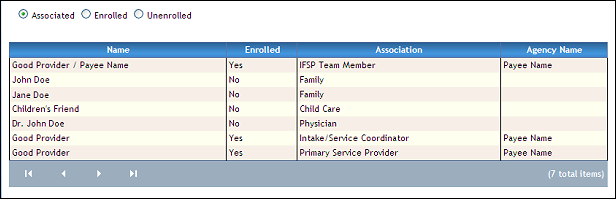
IFSP Team Members page (associated view)
The radio button group above the table provides access to various functions on the page. The radio button group consists of the following radio buttons:
The Associated radio button displays a list of people Associated with the child in a table when selected, and is initially selected as the default. You can double-click on an associate in the table to view or update detailed information.
The Activated radio button allows you to add Activated team members to the IFSP team for the child when selected.
The Deactivated radio button allows you to add Deactivated team members to the IFSP team for the child when selected.
When adding or updating an Associated, Activated, or Deactivated team member, the page displays differently and some information may be disabled or unavailable.
The table contains a list of all family members, providers, physicians, and coordinators currently associated with the child. Detailed information about the associates displays in the following columns of the table:
Name displays the person's first and last name.
Activated indicates whether the person is currently is Activated.
Association displays the person's current association with the child.
Agency displays the name of the agency with which the person is associated (if applicable).
|
NOTE: If no results are found, the table displays a single row containing the text: "No Records Found". For more information about tables, see the Tables topic. |
-
Select the Deactivated radio button. The page refreshes and displays detailed information below the table.
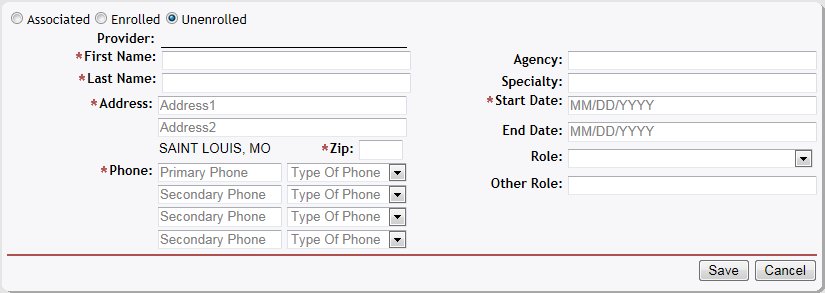
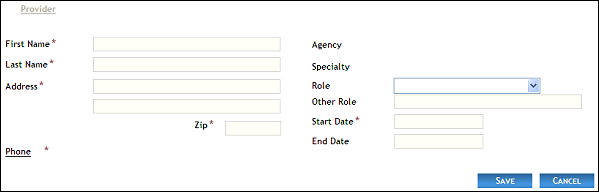
IFSP Team Members page (deactivated details view)
-
Complete the following information as necessary:
In First Name, enter the first name of the person. At least two characters must be entered. You can enter up to 25 characters as necessary.
In Last Name, enter the last name of the person. At least two characters must be entered. You can enter up to 40 characters as necessary.
In Address, enter the street address at which the residence (or office) is located. You can enter up to 100 characters as necessary in each of the two address controls as necessary.
In ZIP, enter the complete five-digit ZIP code in which the residence (or office) is located. Once entered, the name of the city and the two-character state abbreviation associated with the ZIP code are displayed.
In Phone, enter one or more telephone numbers at which the person can be contacted. For more information about entering telephone numbers, see the Telephone Numbers topic.
In Agency, enter the name of the associated agency. You can enter up to 65 characters as necessary.
In Specialty, enter the specialty of the person. At least two characters must be added, and you can enter up to 40 characters as necessary.
In Role, select the specific role to assign to the person from the drop-down list.
In Other Role, enter any additional roles to assign to the person. You can enter up to 40 characters as necessary.
In Start Date, enter the date on which the person becomes active. When updating detailed information, the start date may be disabled. For more information about entering dates, see the Calendar Controls topic.
In End Date, enter the date on which the person becomes inactive as necessary. For more information about entering dates, see the Calendar Controls topic.
|
NOTE: Asterisks (*) indicate which fields are required on the page. If required information is missing, an error message displays at the top of the page after saving the data. |
-
Click the Save button. The page refreshes and displays the new information in the IFSP Team Members table.
Version 1.6