Tutorial: Delete an Eligibility Source for a Child
Use this tutorial to delete an eligibility source for a child on the Eligibility page.
Complete the following steps to perform this tutorial:
-
Display the Eligibility page.
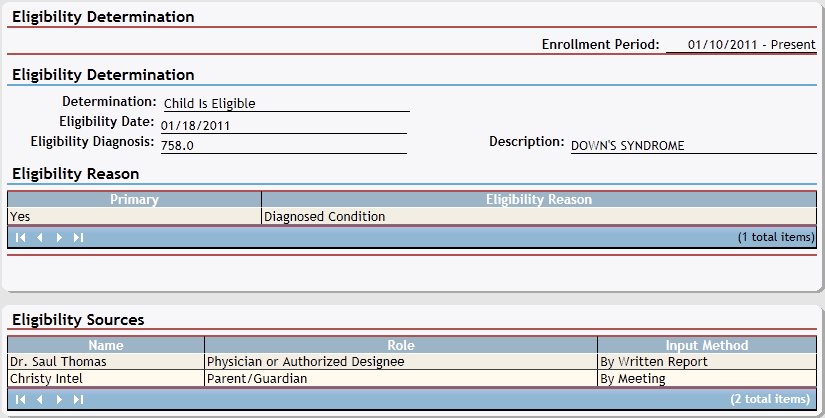
Eligibility page (default view)
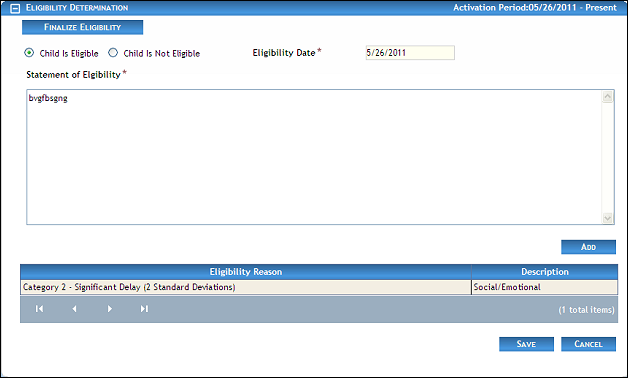
Eligibility page (default view) for Coordinator/District roles
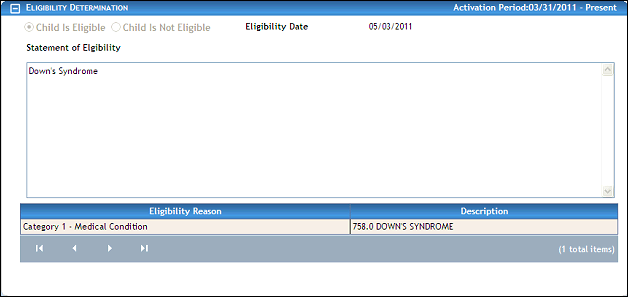
Eligibility page (default view) for Provider/State role
|
NOTE: This page contains collapsible data. Sections can be collapsed by clicking the [-] beside the section heading. Click the [+] to expand the section. Depending on the method of access and your current permissions, the page displays differently and some information may be disabled or unavailable. |

-
Click the [+] to expand the Eligibility Sources section. The page refreshes and displays a list of eligibility sources in the table.

Eligibility page (eligibility sources default view)
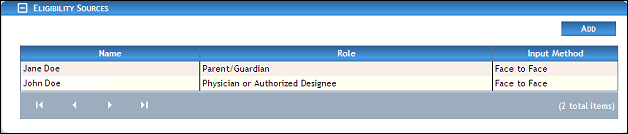
Eligibility page (eligibility sources default view) for Coordinator/District roles

Eligibility page (eligibility sources default view) for Provider/State roles
|
NOTE: If no results are found, the table displays a single row containing the text: "No Records Found". For more information about tables, see the Tables topic. |
-
Double-click on an eligibility source in the table. The page refreshes and displays detailed information below the table.
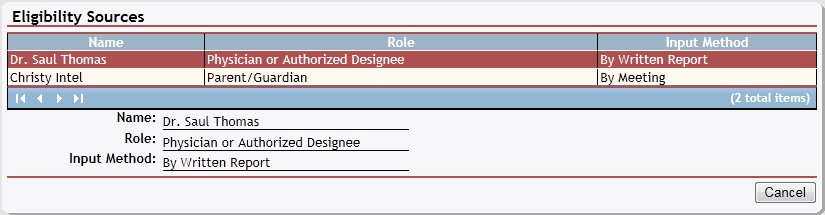
Eligibility page (eligibility source details view)

Eligibility page (eligibility source details view) for Coordinator/District roles

Eligibility page (eligibility source details view) for Provider/State roles
-
Click Delete. A confirmation message displays asking if you are sure you want to delete the eligibility source.
-
Click OK. The page refreshes and the selected eligibility source is removed from the table.
Version 1.6