Tutorial: Search for an Insurance Carrier
Use this tutorial to search for an insurance carrier and view detailed carrier information on the Insurance Carrier Search page.
Complete the following steps to perform this tutorial:
-
Display the Insurance Carrier Search page.


Insurance Carrier Search page (default view)
-
Complete information in the following field to perform a search:
In Name, enter the name of the insurance carrier on which to search. You can enter partial information to widen your search. At least two characters must be entered.
-
Click Search. The page refreshes and results found to match the search criteria display in the results table.
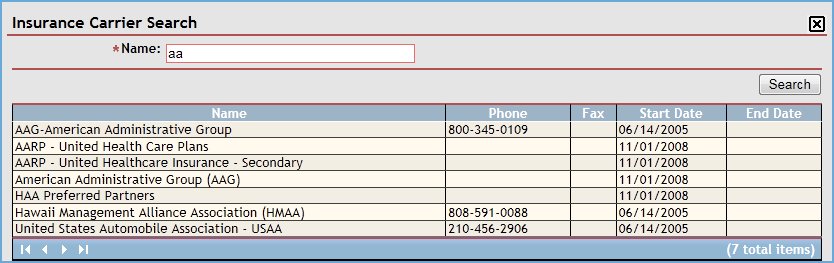
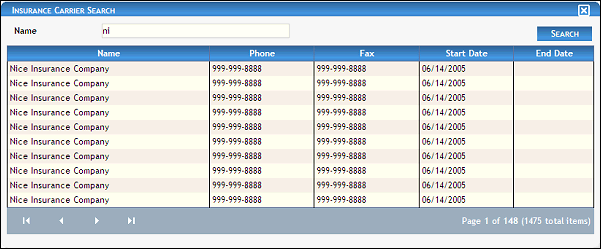
Insurance Carrier Search page (results found)
When Search is clicked, results found to match the search criteria specified are displayed in the following column(s) of the table:
Name displays the insurance carrier's name.
Phone displays the telephone numbers at which the person (or primary contact) can be contacted.
Fax displays the number to which faxes can be sent.
Start Date displays the date on which the person (or group) becomes (or became) active or assigned.
End Date displays the date on which the person (or group) becomes (or became) inactive or unassigned.
|
NOTE: If no results are found, the table displays a single row containing the text: "No Records Found". For more information about tables, see the Tables topic. |

Version 1.6