Tutorial: View Meeting Planner Details for IFSP Meetings
Use this tutorial to view the meeting planner details for IFSP meetings on the IFSP Meetings page.
Complete the following steps to perform this tutorial:
-
Display the IFSP Meetings page.
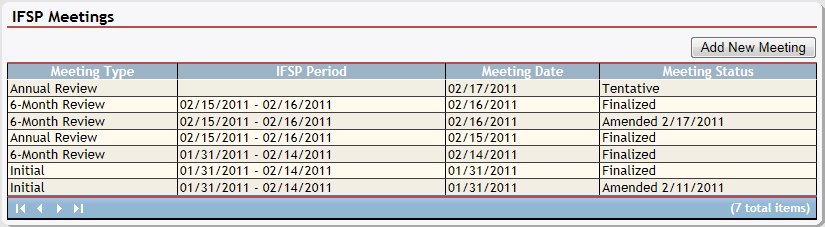
IFSP Meetings page (default view)
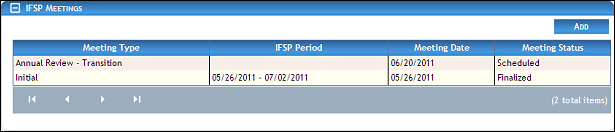
IFSP Meetings page (default view) for Coordinator/District roles

IFSP Meetings page (default view) for Provider/State roles
|
NOTE: This page contains collapsible data. Sections can be collapsed by clicking the [-] beside the section heading. Click the [+] to expand the section. Depending on the method of access and your current permissions, the page displays differently and some information may be disabled or unavailable. |

-
Double-click on a meeting in the IFSP Meetings table. The page refreshes and displays detailed information below the table. The Meeting Planner link is selected by default.
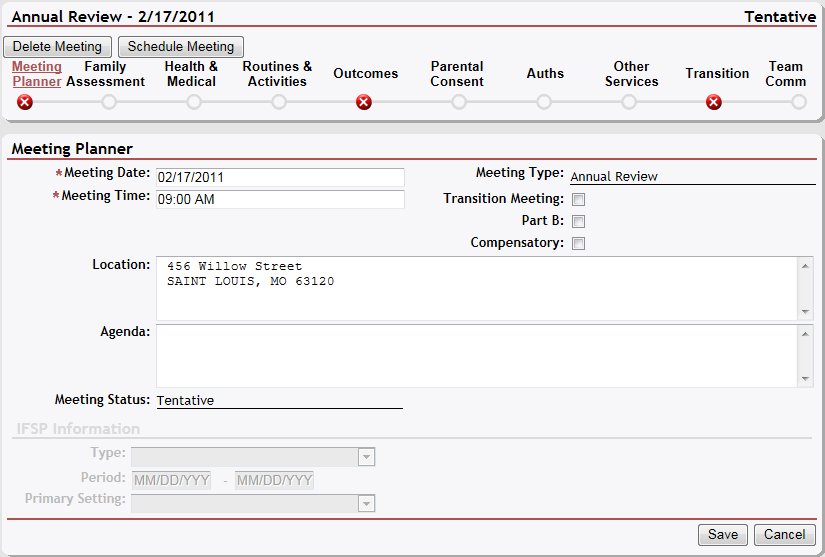
IFSP Meetings page (meeting planner view)
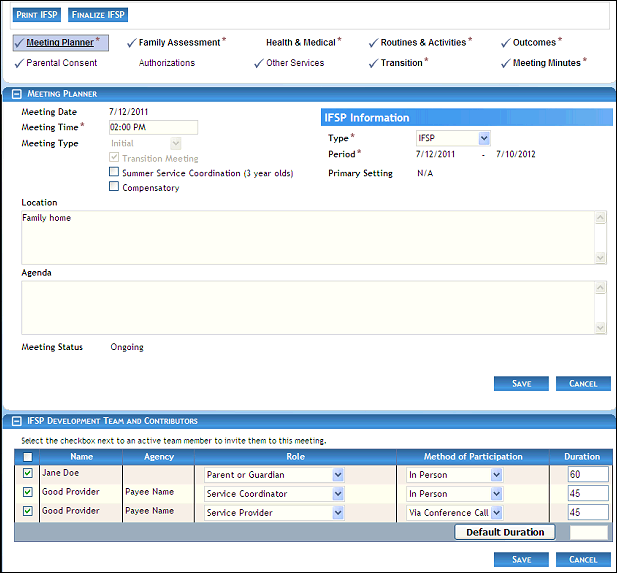
IFSP Meetings page (meeting planner view) for Coordinator/District roles
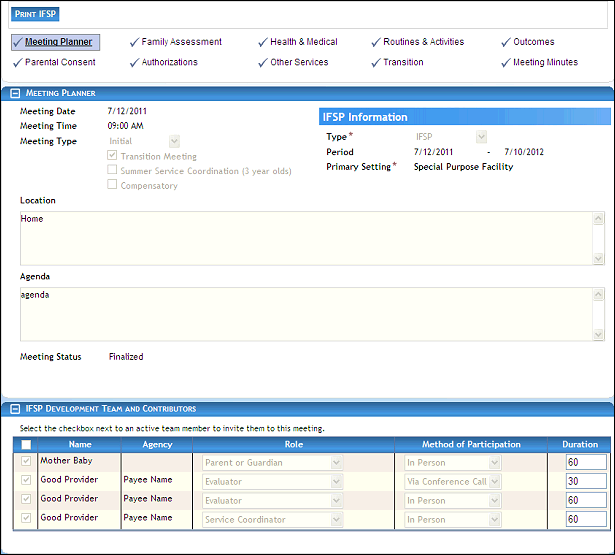
IFSP Meetings page (meeting planner view) for Provider/State roles
-
View the selected meeting date and status in the IFSP Meetings section heading.
-
View the meeting details in the Meeting Planner section:
Meeting Date displays the date of the activity.
Meeting Time displays the time of the activity.
Meeting Type displays the type of activity.
The Transition Meeting check box indicates the meeting is a transition meeting for a child over the age of 2 years and 6 months.
The Summer Service Coordination (3 years old) check box indicates the child's birthday falls between April 1st and September 8th.
Compensatory Service indicates that the service is being performed as a compensatory service.
Location displays the mailing address of the primary contact for the meeting.
Agenda displays the meeting agenda.
Meeting Status displays the current status of the activity.
-
View the IFSP details in the IFSP Information section:
Type displays the IFSP type.
IFSP Period displays the beginning and ending dates of the IFSP period.
Primary Setting displays the primary IFSP setting.
Summer Service Coordination (3 year olds) Eligibility Confirmed indicates that eligibility has been confirmed if the IFSP type is Summer Service Coordination (3 year olds).
-
View the IFSP attendance details in the IFSP Development Team and Contributors table:
Detailed information about the members and their attendance displays in the following columns of the table:
The check boxes in the column indicate whether the team member is invited to the meeting.
Name displays the person's first and last name.
Agency displays the name of the agency with which the person is associated (if applicable).
Role displays the role currently assigned to the person.
Method of Participation indicates the method in which the person attended the meeting.
Duration displays the duration of the activity in minutes.
Version 1.6