Tutorial: View Provider Activation/Deactivation Information
Use this tutorial to access the Georgia Department of Elementary and Secondary Education website's Special Education page and view step-by-step provider activation and deactivation information from the Home page.
|
NOTE: This tutorial can be performed when you are logged out of the Georgia Babies Can't Wait system or when you are logged in and have adequate permissions. |

Complete the following steps to perform this tutorial while logged out of the application:
-
If you are currently logged into the Georgia Babies Can't Wait system, select the Logout link at the top right of the page. You are logged out of the system and the Home page displays.
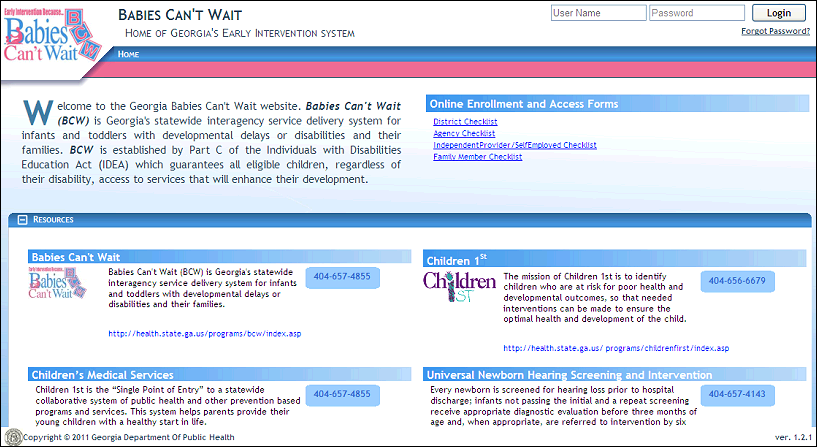
Home page (default view)
-
In the Provider Activation section, select the Click here to download Provider Activation Forms and Information link. The Georgia Department of Elementary and Secondary Education website displays the Special Education page with step-by-step provider activation and deactivation information in a new browser window.
Complete the following step to perform this tutorial while logged into the application:
-
On the Home menu, select the Provider Activation menu option. The Georgia Department of Elementary and Secondary Education website displays the Special Education page with step-by-step provider activation and deactivation information in a new browser window.
Version 1.6