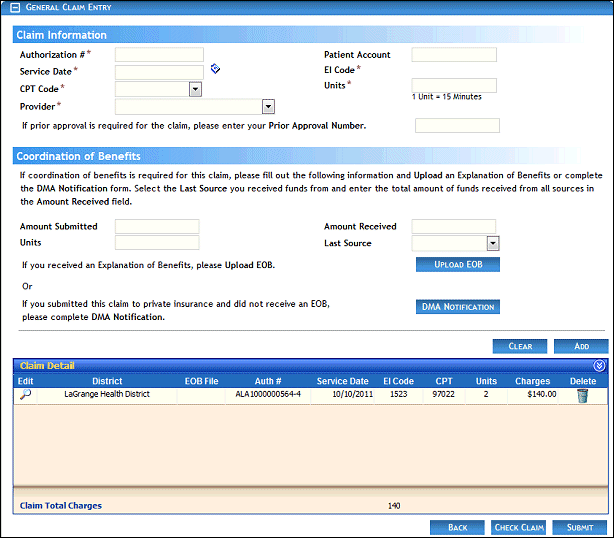
General Claim Entry page (default view)
Use this tutorial to schedule an PSP Team meeting on the PSP Teams page.
Complete the following steps to perform this tutorial:
Display the PSP Teams page.
General Claim Entry page (default view)
Click the  icon in the Calendar column of the PSP Teams table. The PSP Team Meeting Calendar page displays.
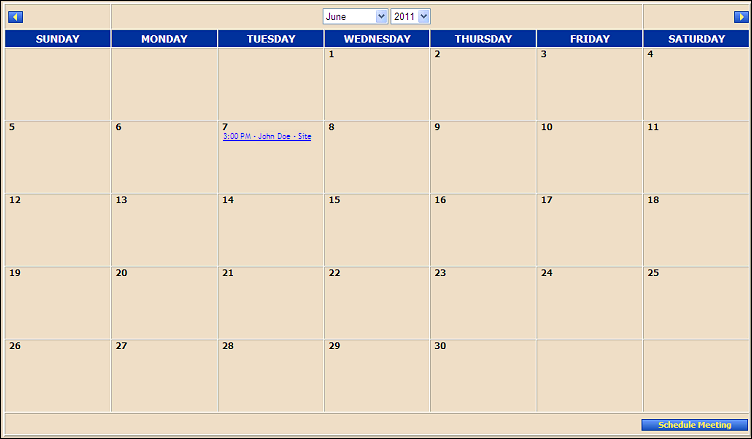
PSP Team Meeting Calendar page (default view)
Click Schedule Meeting. The PSP Team Meeting Scheduler page displays.
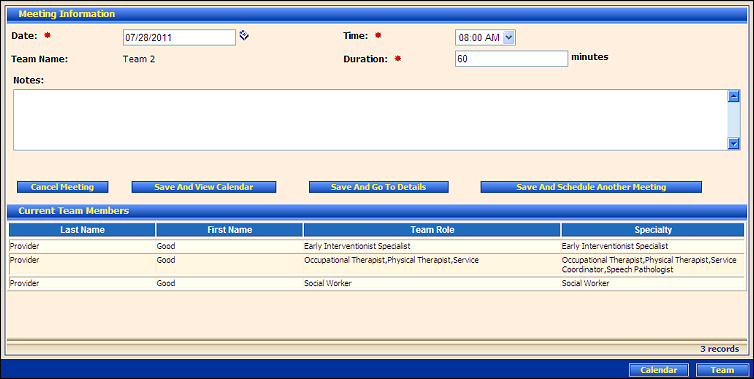
PSP Team Meeting Scheduler page (default view)
Enter the meeting information.
In Date, enter the date of the activity. For more information about entering dates, see the Calendar Controls topic.
In Time, select the time of the activity from the drop-down list.
Team Name displays the name of the PSP Team for which the meeting is scheduled.
In Duration, enter the duration of the activity in minutes.
In Comments, enter additional comments or details. At least one character must be entered, and up to 1000 can be entered as necessary.
In the columns of the Current Team Members table, view the following information for each provider listed as a member of the PSP Team meeting:
Last Name displays the person's last name.
First Name displays the person's first name.
Team Role displays the specific role that the team member will play on the PSP Team.
Specialty displays the individual's specialty.
|
NOTE: Asterisks (*) indicate which fields are required on the page. If required information is missing, an error message displays at the top of the page after saving the data. |
Click one of the following buttons to schedule the meeting and continue:
Click Save and View Calendar to schedule the PSP Team meeting and display the PSP Team Meeting Calendar page.
Click Save and Go To Details to schedule the PSP Team meeting and display the PSP Team Meeting Details page.
Click Save and Schedule Another Meeting to schedule the PSP Team meeting and refresh the page so you can schedule another PSP Team meeting.
Version 1.6
