|
NOTE: Depending on the method of access and your current permissions, this tutorial may not be available. |
Use this tutorial to update the attendance information for a team meeting that has already taken place on the PSP Team Meeting Details page.
|
NOTE: Depending on the method of access and your current permissions, this tutorial may not be available. |
Complete the following steps to perform this tutorial:
Access the PSP Team Meeting Details page.
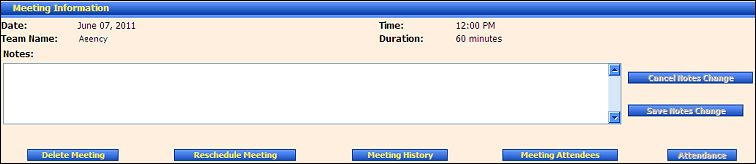
PSP Team Meeting Details page (default view) for District role
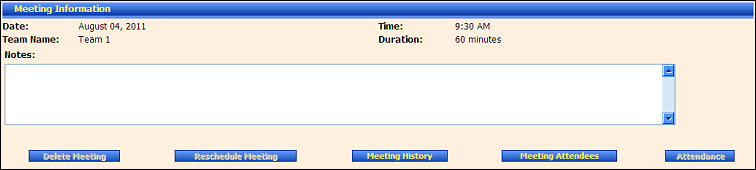
PSP Team Meeting Details page (default view) for Provider/State roles
Click the Attendance button. The page refreshes to display the Meeting Attendance section.
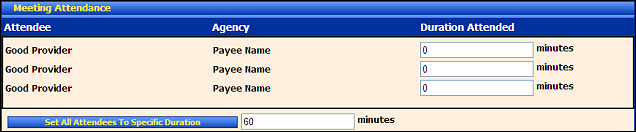
PSP Team Meeting Details page (meeting attendance view)
Under Meeting Attendance, a list of attendees displays each provider that was scheduled to attend the PSP Team meeting.
Attendee displays the first and last name of the provider.
Agency displays the name of the agency with which the person is associated (if applicable).
In Duration Attended, enter the time in minutes that the provider attended the meeting.
Click Set All Attendees To Specific Duration to apply the value entered in the text box to all meeting attendees.
Click Save Attendance.
Version 1.6
