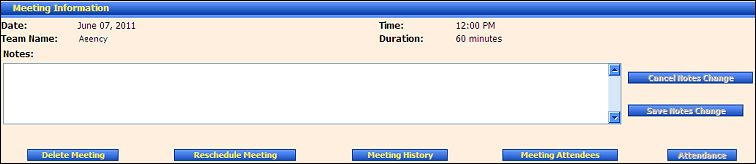
PSP Team Meeting Details page (default view) for District role
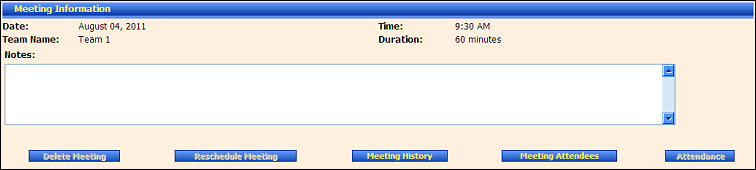
PSP Team Meeting Details page (default view) for Provider/State roles
Use this tutorial to view a list of attendees scheduled to attend a specific PSP Team meeting on the PSP Team Meeting Details page.
Complete the following steps to perform this tutorial:
Access the PSP Team Meeting Details page.
PSP Team Meeting Details page (default view) for District role
PSP Team Meeting Details page (default view) for Provider/State roles
Click the Meeting Attendees button. The page refreshes to display the Meeting Attendees table.
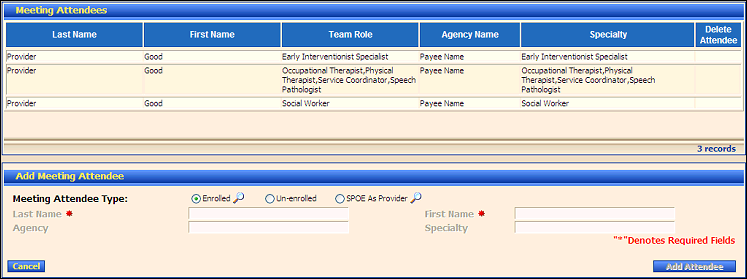
PSP Team Meeting Details page (meeting attendees view)
View a list of attendees scheduled to attend the PSP Team meeting in the Meeting Attendees table. The table contains the following columns:
Last Name displays the person's last name.
First Name displays the person's first name.
Team Role displays the specific role that the team member will play on the PSP Team.
Agency displays the name of the agency with which the person is associated (if applicable).
Specialty displays the individual's specialty.
Delete Attendee provides a link to remove an attendee from the PSP Team meeting.
Version 1.6