Search Authorizations

Use this page to perform a search and filter the list of authorizations.

The Search Authorizations page is available to the following user role(s) within the Georgia Babies Can't Wait Child Care Management application:


To access this page, complete the following steps:

Click the icon beside Auth # on one of the following pages:

On the main menu bar:

  • On the Provider Account Management menu, select the Provider Billing menu option.  A sub-menu displays.  Select the Search menu option.  A sub-menu displays.  Select the Authorizations menu option.
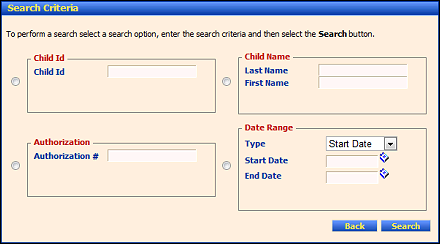
 

Search Authorizations page (default view)

Searching for Authorizations

You can enter information in one or more of the fields on this page to search for authorizations and view detailed authorization information.

See the following topic(s) in the online help system or the user manual for more information: