Tutorial: View a Primary Service Provider's Details
Use this tutorial to view an Primary Service Provider's details in the Primary Service Provider section of the Child Detail page.
Complete the following steps to perform this tutorial:
-
Display the Child Detail page.
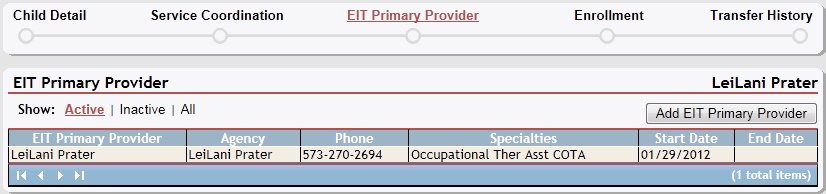
Child Detail page (primary service providers default view)
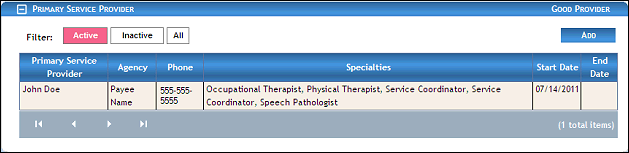
Child Detail page (primary service providers default view) for Coordinator/District roles
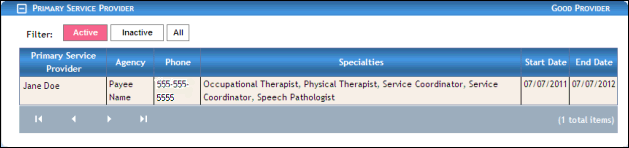
Child Detail page (primary service providers default view) for Provider/State roles
|
NOTE: This page contains collapsible data. Sections can be collapsed by clicking the [-] beside the section heading. Click the [+] to expand the section. Depending on the method of access and your current permissions, the page displays differently and some information may be disabled or unavailable. |

-
Double-click on a provider listing in the Primary Service Providers table. The table contains a list of all Primary Service Providers currently associated with the child. The page refreshes and displays detailed information below the table.
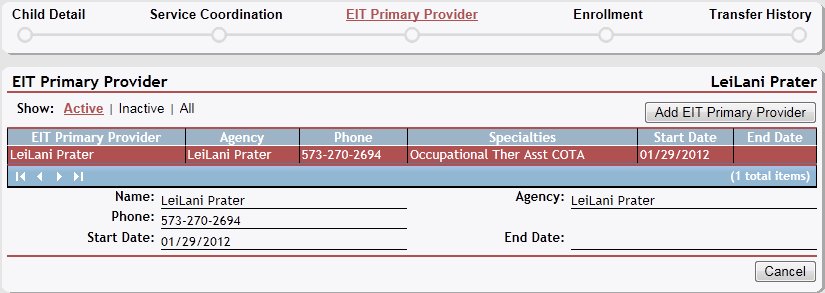

Child Detail page (primary service provider details view)
-
View detailed information about the provider in the following controls:
Name displays the person's first and last name.
Agency displays the name of the agency with which the person is associated (if applicable).
Phone displays the telephone numbers at which the person (or primary contact) can be contacted.
Start Date displays the date on which the person (or group) becomes (or became) active or assigned.
End Date displays the date on which the person (or group) becomes (or became) inactive or unassigned.
The data in this section of the page is read-only.
Version 1.6