Tutorial: Refer a Child
Use this tutorial to perform the online referral process and refer a child to the Georgia Babies Can't Wait program on the Online Referral page.
|
|
NOTE: This tutorial can only be performed when you are logged out of the Georgia Babies Can't Wait system. When you are logged into the system, you can add an internal referral instead. For more information, see the Tutorial: Add an Internal Referral from the Referrals Page tutorial. |

Complete the following steps to perform this tutorial:
-
If you are currently logged into the Georgia Babies Can't Wait system, select the Logout link at the top left of the page. You are logged out of the system and the Home page displays.
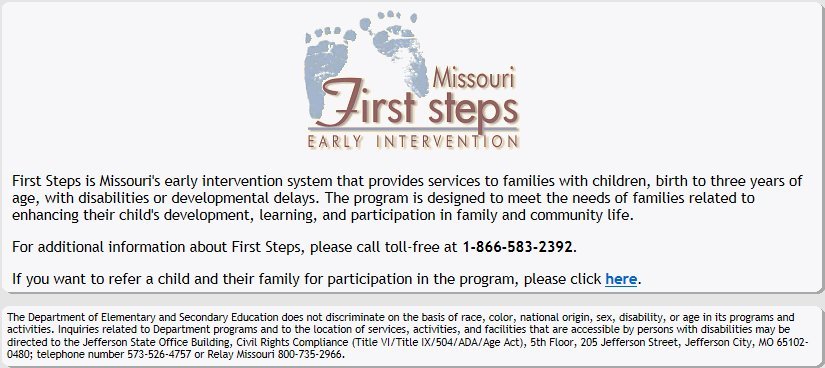
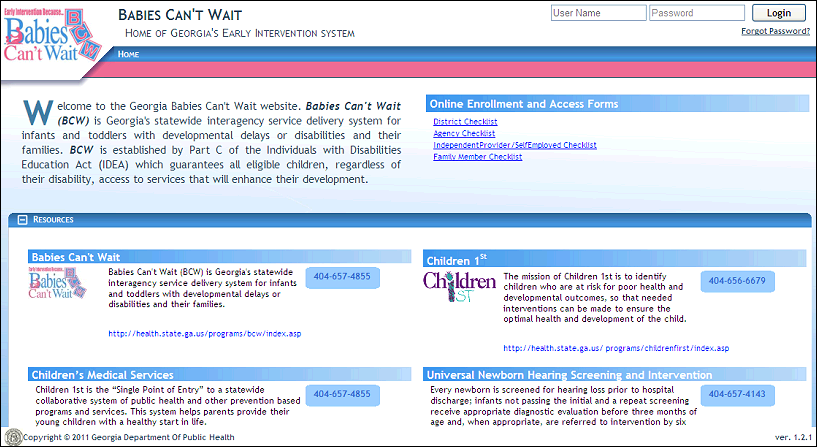
Home page (default view)
-
In the Babies Can't Wait for the Family section, select the Refer A Child link. The Referral Source page displays.
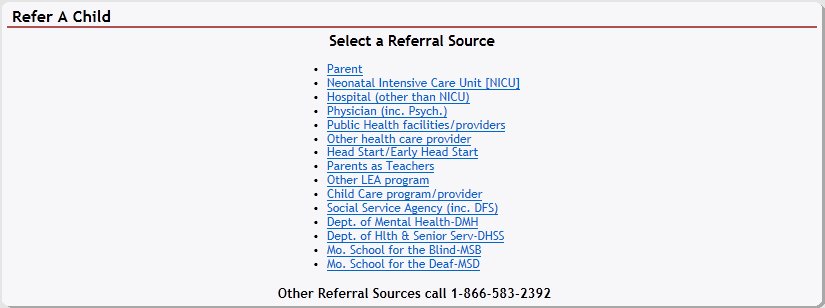
Referral Source page (default view)
-
Select one of the Referral Source links. The Online Referral page displays.
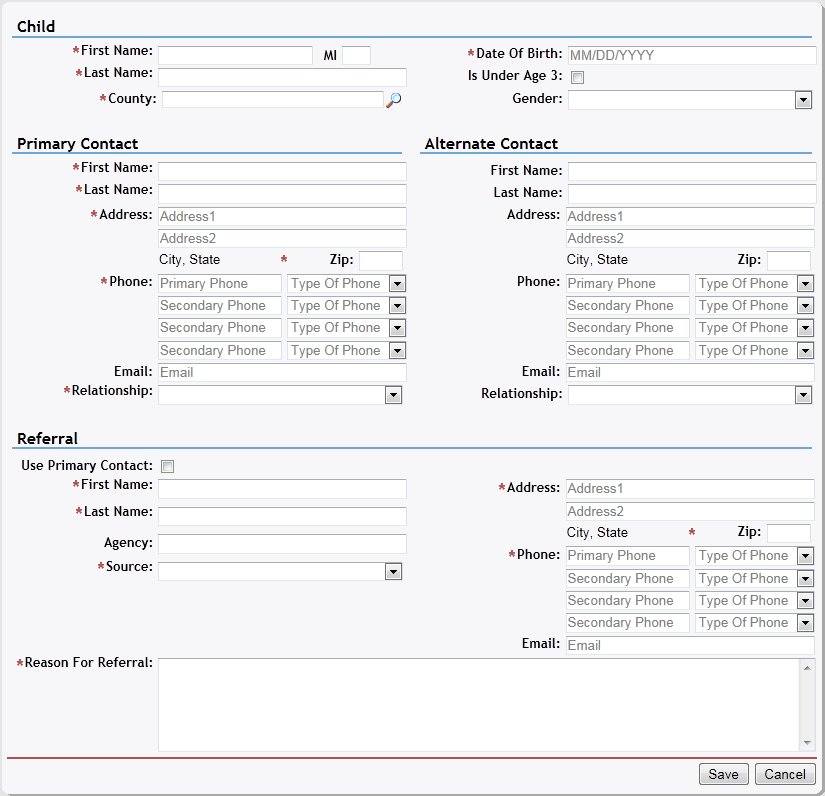
Online Referral page (default view)
|
|
NOTE: If you selected a NICU Referral Source, you are prompted to enter an access code. For more information about NICU referrals, see the Tutorial: Refer a Child (NICU) tutorial. |
-
Add the child's details.
The Child section contains the child's demographic data, which can be entered as follows:
In First Name, enter the first name of the person. At least two characters must be entered. You can enter up to 25 characters as necessary.
In Middle Name, enter the middle name of the person. Only one alphabetic character can be entered.
In Last Name, enter the last name of the person. At least two characters must be entered. You can enter up to 40 characters as necessary.
Click the Select County link to search for and select the county in which the person resides or practices. For more information about searching for and viewing the list of counties, see the County Search topic.
In Date of Birth, enter the month, day, and year on which the person was born. For more information about entering dates, see the Calendar Controls topic.
Select the Child Is Under Age 3 check box to indicate that the child is currently under three years of age. It is unchecked as the default.
In Gender, select the person's sex from the drop-down list.
-
Add the contact information for the child's primary contact person.
The Primary Contact section displays the name and details for the child's primary contact person, which can be entered as follows:
In First Name, enter the first name of the person. At least two characters must be entered. You can enter up to 25 characters as necessary.
In Last Name, enter the last name of the person. At least two characters must be entered. You can enter up to 40 characters as necessary.
In Address, enter the street address at which the residence (or office) is located. You can enter up to 100 characters as necessary in each of the two address controls as necessary.
In ZIP, enter the complete five-digit ZIP code in which the residence (or office) is located. Once entered, the name of the city and the two-character state abbreviation associated with the ZIP code are displayed.
In Phone, enter one or more telephone numbers at which the person can be contacted. For more information about entering telephone numbers, see the Telephone Numbers topic.
In Email, enter the electronic mail address for the person. Email addresses must be entered in the format of: name@xxx.zzz. At least 10 characters must be entered, and you can enter up to 50 characters as necessary.
In Relationship, select the specific relationship in the household to assign to the person from the drop-down list.
-
Add the contact information for the child's secondary or alternate contact person, as necessary.
The Alternate Contact section displays the name and details for the child's secondary contact person, which can be entered as follows:
In First Name, enter the first name of the person. At least two characters must be entered. You can enter up to 25 characters as necessary.
In Last Name, enter the last name of the person. At least two characters must be entered. You can enter up to 40 characters as necessary.
In Address, enter the street address at which the residence (or office) is located. You can enter up to 100 characters as necessary in each of the two address controls as necessary.
In ZIP, enter the complete five-digit ZIP code in which the residence (or office) is located. Once entered, the name of the city and the two-character state abbreviation associated with the ZIP code are displayed.
In Phone, enter one or more telephone numbers at which the person can be contacted. For more information about entering telephone numbers, see the Telephone Numbers topic.
In Relationship, select the specific relationship in the household to assign to the person from the drop-down list.
-
Add the details on the child's referral and referring person.
The Referral section displays the source and reason of the child's referral, which can be entered as follows:
Select the Same As Primary Contact check box to indicate that the primary contact person is also the person who referred the child to the program. When this check box is checked, the page refreshes and the primary contact person's demographic information is copied from the Primary Contact section to the corresponding referral person's demographic fields. When this check box is unchecked, the page refreshes and the referral person's demographic fields are cleared.
In First Name, enter the first name of the person. At least two characters must be entered. You can enter up to 25 characters as necessary.
In Last Name, enter the last name of the person. At least two characters must be entered. You can enter up to 40 characters as necessary.
In Agency, enter the name of the associated agency. You can enter up to 65 characters as necessary.
In Source, select the primary referral source from the drop-down list.
In Address, enter the street address at which the residence (or office) is located. You can enter up to 100 characters as necessary in each of the two address controls as necessary.
In ZIP, enter the complete five-digit ZIP code in which the residence (or office) is located. Once entered, the name of the city and the two-character state abbreviation associated with the ZIP code are displayed.
In Phone, enter one or more telephone numbers at which the person can be contacted. For more information about entering telephone numbers, see the Telephone Numbers topic.
In Email, enter the electronic mail address for the person. Email addresses must be entered in the format of: name@xxx.zzz. At least 10 characters must be entered, and you can enter up to 50 characters as necessary.
In Relationship, select the specific relationship in the household to assign to the person from the drop-down list.
In Reason For Referral, enter the reason why the person was referred to the Georgia Babies Can't Wait program. At least one character must be entered, and you can enter up to 500 characters as necessary.
In How did you find out about Babies Can't Wait?, select enter the way in which the referring person heard about the Georgia Babies Can't Wait program from the drop-down list. This field displays if the referral Source is "Parent".
Select The family has been informed of this referral check box to indicate that the family has been contacted regarding the child's referral to the Georgia Babies Can't Wait program. This check box displays if the referral Source is not "Parent" "CAPTA".
In If not, how do you plan on informing them?, enter the planned method of contact regarding the person's referral to the Georgia Babies Can't Wait program. You can enter up to 500 characters as necessary. This field displays if the referral Source is not "Parent" "CAPTA".
|
NOTE: Asterisks (*) indicate which fields are required on the page. If required information is missing, an error message displays at the top of the page after saving the data. |
-
Click the Save button. The page refreshes and displays the new information in the Referrals table.
Version 1.6